Brand trust online: What small business owners can learn from modern brands


Building brand trust is the best priority you can have (and the top lesson you can learn from modern brands) if you have a WordPress site.
When your audience trusts you, they look forward to exploring new products on your website, listening to your podcast episodes, and even receiving your email newsletters. Trust shapes brand perception, influences customer retention, and strengthens your entire brand strategy.
Let’s take a closer look at how you can build more trust and stronger customer experience using your WordPress website.
Make it easy to buy
Find ways to remove as much friction as possible from the buying process. Customers should experience smooth customer journeys and be able to purchase what they need quickly.
For example, if you sell courses and coaching, make sure clients can easily reach your checkout pages. Overly long funnels damage the customer experience, slow customer lifetime value (CLV) growth, and hurt your brand reputation.
Try this funnel instead: Offers page ➜ Course/coaching sales page ➜ Checkout page.
Or, make individual pages for each offer to shorten the process even more. In that case, it’d be: Course/coaching sales page ➜ Checkout page.
If you sell physical products, make it easy to sort through your catalog, search for the right item, and click to buy. At checkout, give buyers multiple ways to pay to make it even easier to commit to checking out fully. (For example, via Klarna, PayPal, Apple Pay, credit cards, etc.)
If you run a subscription or service-based business, create plans and a pricing page, and list your tiers and services there. Make sure clients can click a plan or service and immediately head to check-out.
If you need to use a form to collect custom data, keep it short.
For example, if you run a wedding cake bakery, your form might ask for the customer’s cake flavor choice, icing choice, and decor preferences. If you have a B2B productivity app, your form might ask for the company’s team size, industry type, and main use case.
Perfect the customer experience
Make sure your WordPress site loads properly and feels intuitive to use on both desktop and mobile. You need speedy pages, clear navigation, and helpful brand messaging to show your audience that your brand is reliable and professional.
- For a faster website, use PageSpeed Insights to get tips on how to make your site load quicker.
- For navigation, use intuitive menu design to give visitors a clear, organized path to explore your site. (WordPress makes this easy with plugins like Max Mega Menu or Elementor Pro.)
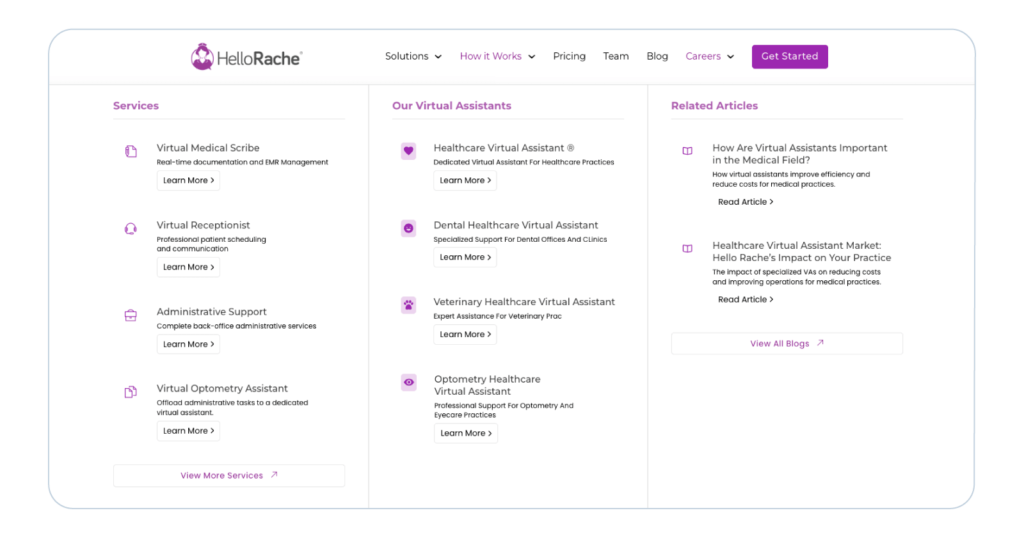
Take a look at HelloRache below. The site uses a full-width menu that opens into well-organized categories like “Services,” “Our Virtual Assistants,” and “Related Articles.” Visitors can find what they need immediately.
It also includes trust elements. (It lists its match-rate, years in business, and number of customers. Plus logos from businesses it’s helped support.)
Double-check the pages you’ve listed on your site to verify that customers have all of the information they need to get to know your brand.
Some solid page options include:
- Guarantees
- Reviews
- Contact
- Pricing
- About
- FAQs
Other ways to improve the customer experience include:
- Collect customer feedback to identify pain points and adjust your site accordingly.
- Keep messaging helpful, targeted, and aligned with your brand personality.
- Offer accessible customer service via a chatbot, email, or phone.

Use brand marketing best practices
Keep your brand visuals and messaging consistent across your site.
You need predictable colors, fonts, and layouts so your audience recognizes your brand and feels confident in your business.
Messy visuals and uneven messaging chip away at your brand identity. Instead:
- Swap generic stock images for ones that match your brand. If you must use stock, pick images from the same collection, match the color and lighting, and keep the perspective consistent (close-up vs. wide shot). But ideally, have your own professional photographs and screenshots to create a more unique brand identity.
- Pick one font family, 1–2 weights, and fixed heading sizes (H1–H6). Apply them across your site via your theme or custom CSS.
- Make your messaging match your brand voice. Clear, targeted copy speaks to the right audience and can encourage users to stay on your site longer. Bonus Tip: Use storytelling tactics to tug on emotion and build deeper connections with your website visitors.
Go heavy on social proof
Show real proof (testimonials, data, case studies, ratings, and reviews) to build trust with your audience.
Use a social listening tool to find user-generated content and quick brand mentions. Screenshot these and publish them across your website. Add social proof on your product/service pages, landing pages, and home page.
Go the extra mile by partnering with brand advocates. Have them guest post on your site and write reviews about your product or service.
Make sure to also replace any bold, cliché claims with evidence.
Go through your site and remove unbacked statements like:
- “High-quality service”
- “Trusted by many”
Replace these with evidence, like:
- Before/after examples
- Named testimonials
- Verifiable data
- Screenshots
- Case studies
- Numbers
For instance, look at how TradifyHQ, a company specializing in job management software for trades and service businesses, showcases social proof on its homepage. 👇
First, it lists its 4.8-star rating next to its hero image:

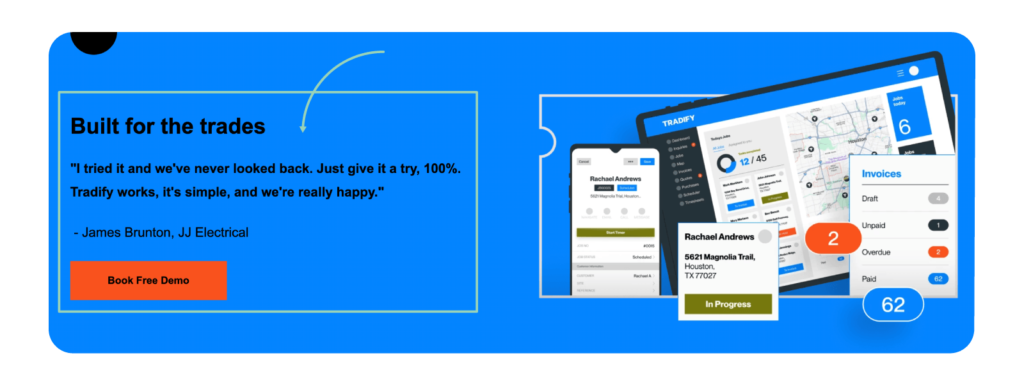
Right below that, it features a testimonial by an electrician, along with a product image and a call to action to book a free demo:
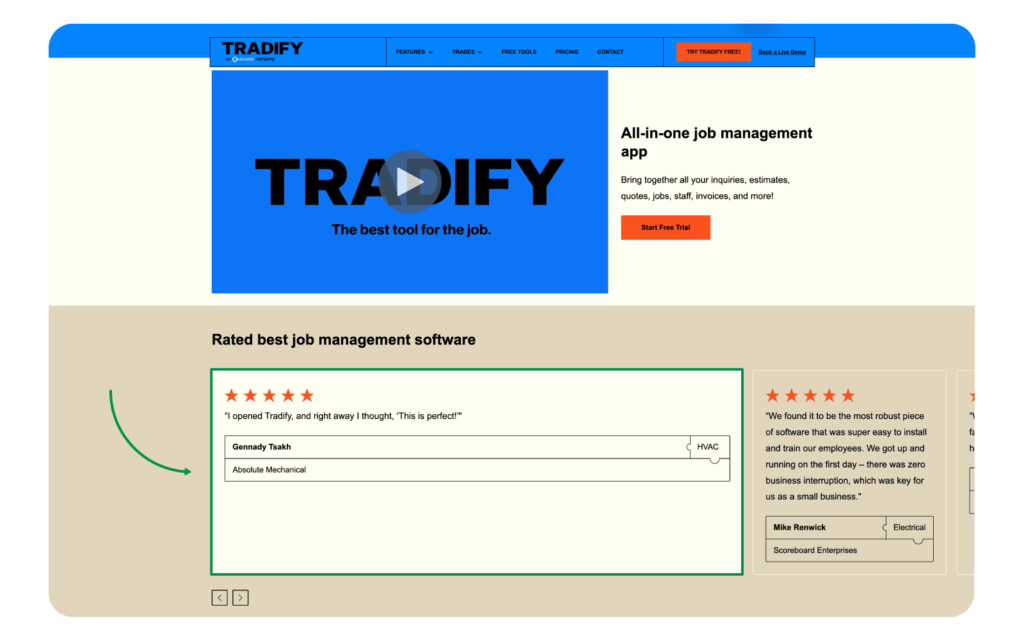
Below that, it features a product video, followed by more ratings and reviews from real customers:
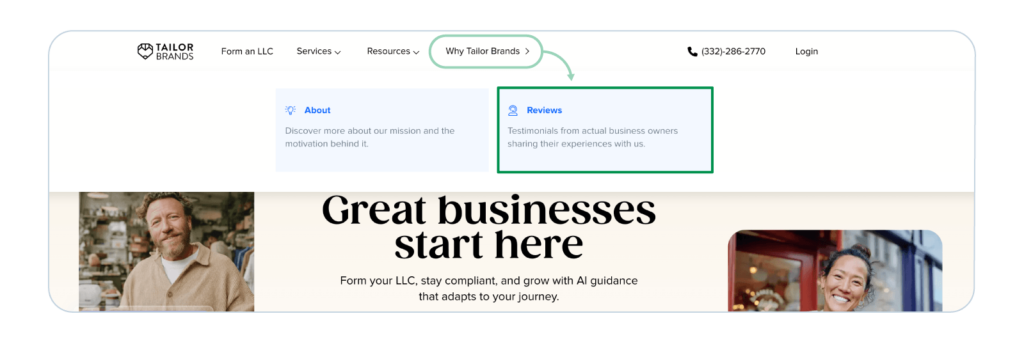
You can also create a “Results” or “Reviews” page on your site to showcase real customer experiences in a dedicated spot.
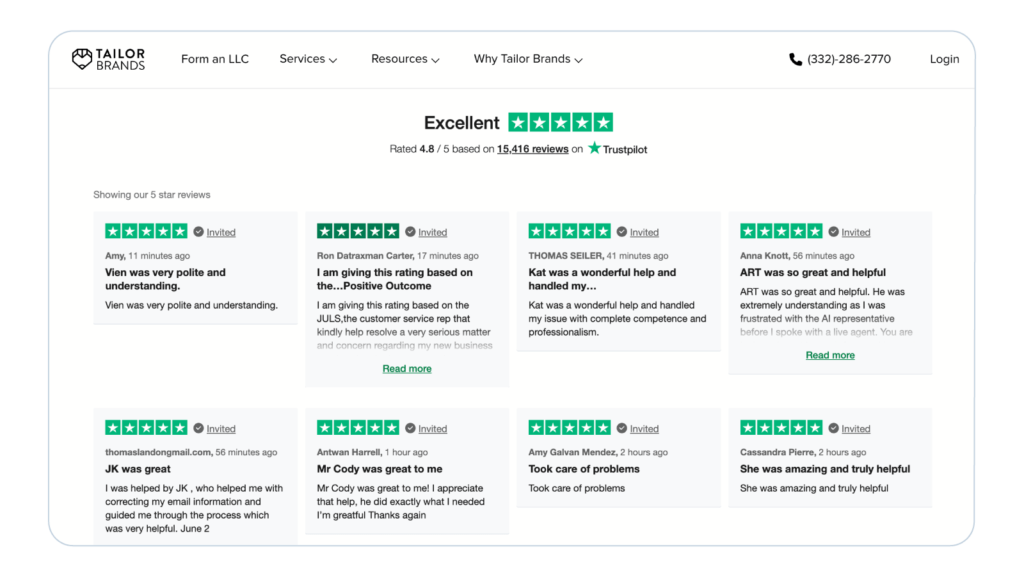
For example, Tailor Brands customer reviews are tucked below its “Why Tailor Brands?” main page:
From there, site visitors can explore its Trustpilot star rating and thousands of real customer reviews:
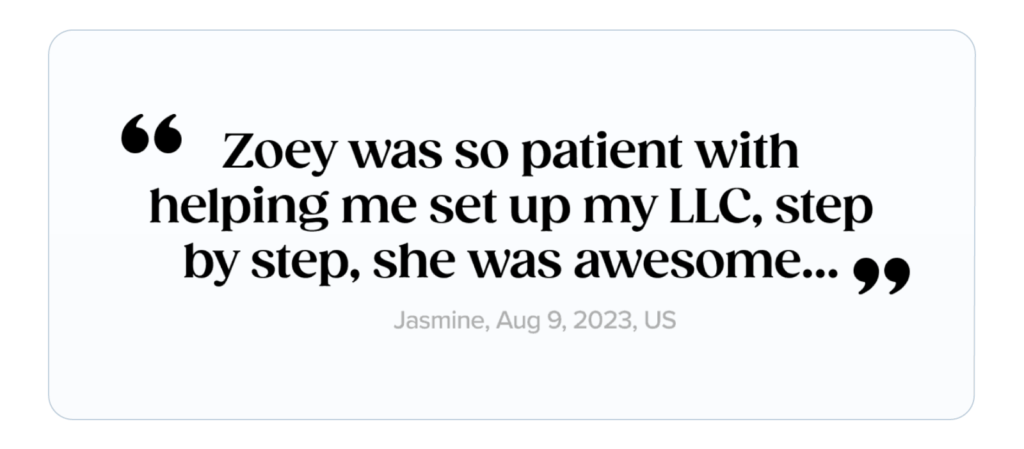
Below that, the brand features a simple testimonial to set the tone for its main use case, setting up an LLC:
And below that, it features a “Why choose Tailor Brands” section and a call to action button to nudge site visitors to conversion. With social proof at the top, this feels like a natural lead-into trying the brand.
Don’t forget about SEO
Plan and implement an SEO strategy so more people find your WordPress site. (Good SEO pulls traffic, builds brand trust, and supports all of your other marketing efforts.)
Some SEO musts for your WordPress site include:
- Build authority with backlinks and guest posts. Show your expertise and grow your site’s reputation with a guest-posting strategy. Bonus Tip: Create helpful assets that external authoritative sites would want to link back to.
- Follow E-E-A-T signals. Weave in Expertise, Experience, Authority, and Trust into your marketing content, especially your blog posts. For example, B2B service providers often prove their “Trust” signal by detailing how they utilize Oracle Cloud EPM managed services to maintain data accuracy and financial transparency for their clients. This is important for both traditional and AI SEO.
- Optimize your website copy, pages, blog posts, metadata, and structured data. Make everything easy for Google, AI, and humans to read.
- Claim your Google My Business listing if you have a local business so users using voice search and Google Maps can easily find you.
Pro-tip: If you don’t have an SEO strategist or SEO team, reach out to an SEO agency for support.
Learn from regulated industries and prove compliance if needed
Study businesses where trust is hard to earn.
For example, telehealth, online pharmacies, and online legal services face constant skepticism.
Look at the telehealth brand, Henry Meds. Since they prescribe semaglutide online, their site showcases a “Meet Our Care Team” section and a dedicated page to learn more about the providers they’ve partnered with.
Henry Meds also emphasizes that patients get tailored treatment and are medically supervised to build even more trust with website visitors:

Ask yourself: What makes people hesitate in my industry? What experts, solutions, and compliance proof can I share to help them feel more comfortable?
Then answer that immediately on your site. Be transparent about your processes, show credentials, and display any industry-required certifications or accreditations, like BBB approval.

Checklist: Building brand trust with your WordPress site
As promised, here’s a quick WordPress Website Trust checklist you can reference based on the tips above:
- Make it easy to buy
- Perfect the customer experience
- Use brand marketing best practices
- Go heavy on social proof
- Don’t forget about SEO
- Prove industry compliance if needed
Trust is built, not claimed
To build brand trust on your WordPress site, you need intentional action. Make buying easy, create smooth customer experiences, align your branding, and lean heavily on social proof. Strengthen your SEO, stay consistent with your brand values, and build the kind of online presence that encourages people to trust, engage, and convert.
When visitors trust you, they’ll stick around, engage, and convert. Follow these steps, and you’ll see your brand grow stronger online, one confident visitor at a time.
PS: Need WordPress hosting? Get a managed WordPress hosting solution in minutes. Try EasyWP for free now.
Author Bio:

Kelly Moster
Kelly Moser is the co-founder and editor at Home & Jet, a digital magazine for the modern era. She’s also the content manager at Login Lockdown, covering the latest trends in tech, business and security. Kelly is an expert in freelance writing and content marketing for SaaS, Fintech, and ecommerce startups.


More articles from us!

