Maximizing ROI from your WordPress site: Cost and performance strategies


Your WordPress site has the power to bring in high-quality leads and help you convert them. That is, if you know how to maximize your site’s Return on Investment (ROI).
If you’re not a WordPress performance optimization expert, but you need help making the most of your site’s ROI, keep reading. In this article, you’ll learn practical strategies you can implement, so you can make more revenue and create a better user experience with your content management system (CMS).
Reduce friction to keep users on your site
Make the user experience as seamless and engaging as possible.
Marketing systems built on top of an unoptimized site waste of time and money. Slow-loading pages and performance issues make tasks (like finding information, making a purchase, or submitting a form) more difficult. This frustrates website visitors and drives them away.
Google also uses Core Web Vitals and page experience as ranking factors, so slow or poorly-performing sites rank lower. (Meaning users may never scroll down far enough to click on your URL after conducting a search.)
That said, your goals should be: Optimization first → marketing second → scaling third.
Start by running a PageSpeed Insights report to see what speed optimization adjustments your site needs. PageSpeed Insights also provides actionable recommendations to improve your Core Web Vitals.
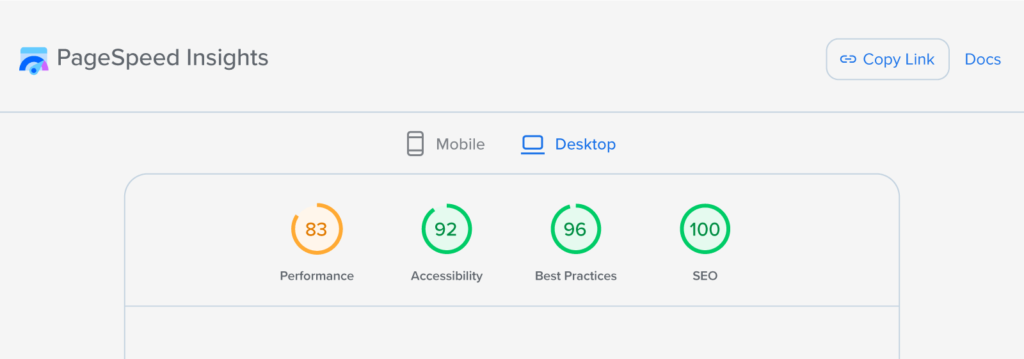
Some tasks you might need to prioritize include:
- Debugging your site with a plugin like Query Monitor
- Checking your CSS files for coding errors
- Removing slow WordPress plugins
- Using image compression tools
- Using lazy loading for images
- Reducing steps from a form
- Removing a bloated theme
- Reducing page speed
- Reducing server load
Audit your content, too, to see if you need any blog post revisions. (Check for outdated stats and advice, images that are too large, and formatting issues.)
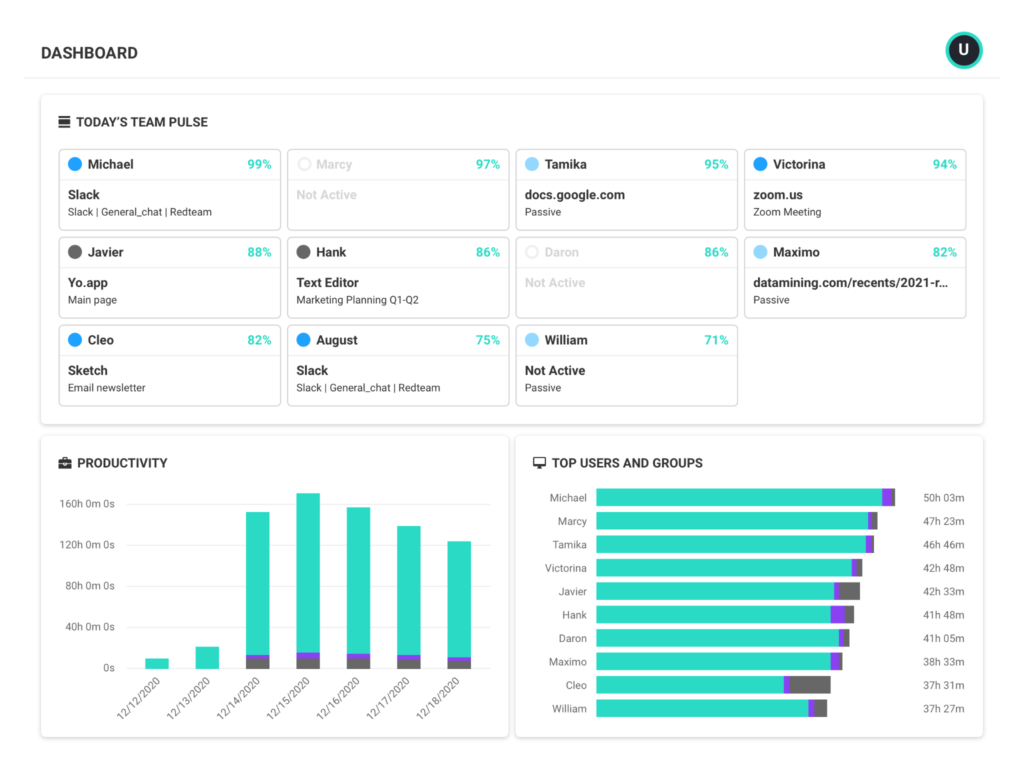
Use productivity management software to track all of the tasks involved in updating and optimizing your website. Assign tasks like updating content and fixing performance issues, then track progress to make sure updates go live on time.
Reevaluate your tech stack for hidden costs
Audit the tools in your tech stack.
Are you using all of them? Can you choose a lower-tiered plan or ask for less features to reduce costs? For example, instead of paying for an image compression tool, see if your devices have native image editors that offer that feature for free. Or, instead of paying for an overly-robust security tool you don’t need, see if you can lower your plan type for a basic security check and virus protection.
Make sure to also check your theme maintenance costs, page builder fees, and plugin stack. Are you overpaying?
Think long-term, too.
Technical debt accumulation is a heavy price to pay down the road. You might think you’re saving money now by choosing a lower-cost tool, but as you scale, you might be forced into a much more expensive option/higher tier. Always consider scalability when choosing software.
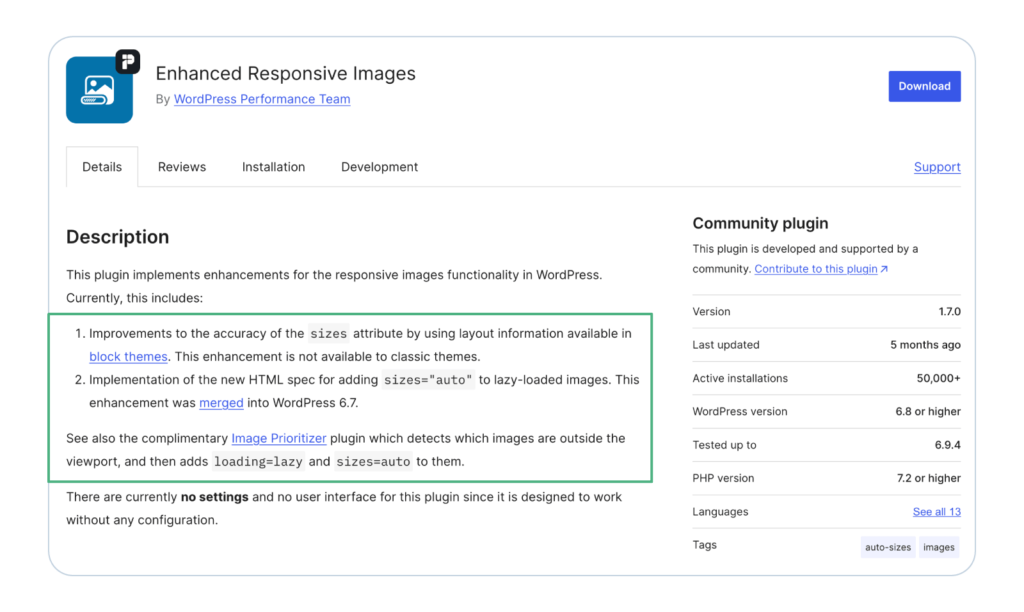
Make sure to also see if you need to add any new tools to your tech stack to help you cut “costs” in other areas. For example, adding a tool that helps your site generate lazy load images or delete spam comments is probably worth it. (Since your site will load quicker and perform better, which encourages lower bounce rates.)
To protect your cash flow, consider putting your routine website expenses on a business credit card. This’ll help you keep your operating budget more predictable, and you’ll only have to remember one monthly due date.
Plus, you can track all of your site-related costs in one place. And you might even earn rewards or cash back, which raises your ROI further.
Aim for a higher content ROI
Take a hard look at your website’s SEO content strategy. To encourage search engines to rank your pieces higher, lean on E-E-A-T principles. (That stands for Experience, Expertise, Authoritativeness, and Trustworthiness.)
Google uses E-E-A-T to evaluate content quality. These signals help human quality raters at Google assess if content is reliable and helpful, which then informs Google’s algorithms.
One of the most effective ways you can demonstrate E-E-A-T is by creating topic clusters(also called content clusters). That’s where you cover main topics on “parent pages,” related subtopics on “child pages,” and interlink them strategically.
Here’s an example.
If you run a financial services site that specializes in lending, publish pillar pieces that focus on relevant money topics. Have a finance content writer create valuable blog posts that include helpful examples, checklists, and tools to increase engagement and attract leads.
For example, for a pillar piece about how personal loans work, have the writer include your personal loan calculator in the post and explain how it works.
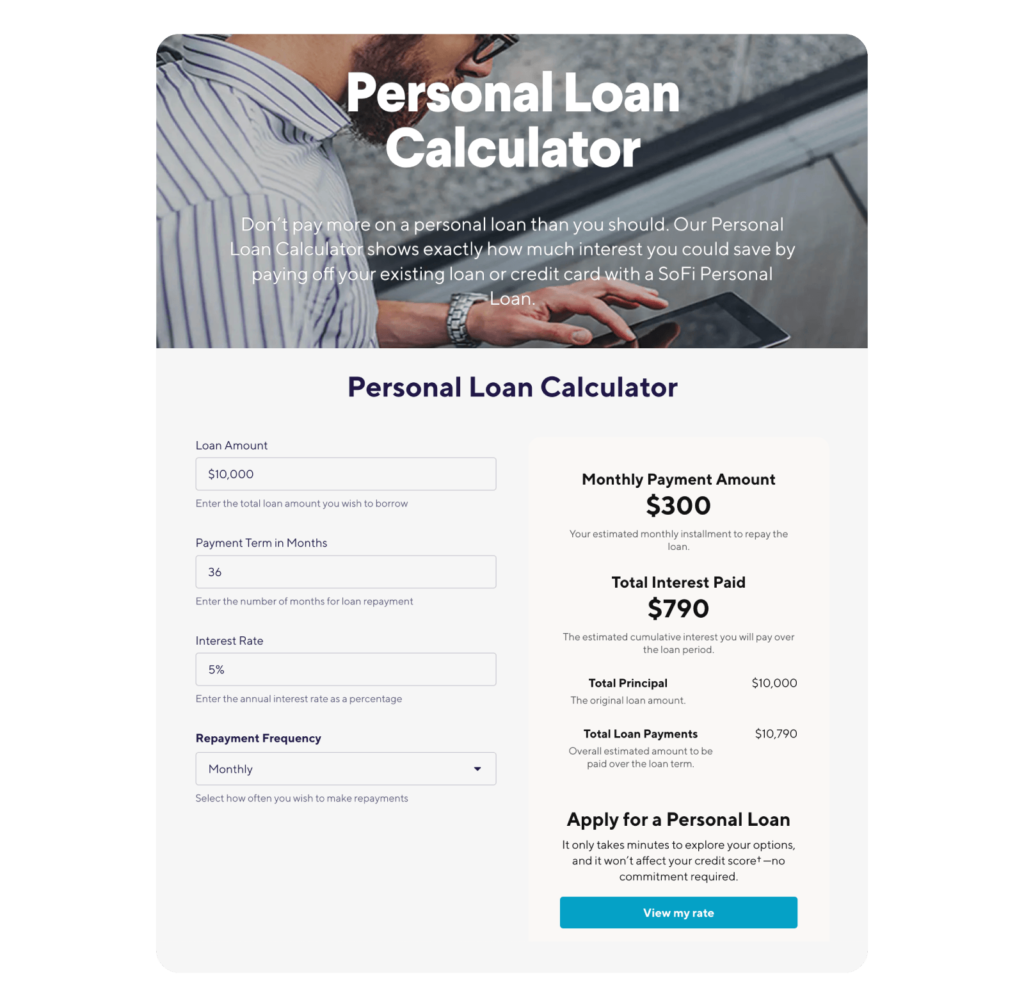
Have them also write pieces for your child pages covering subtopics like:
- A guide comparing personal loan interest rates and how to lower them.
- How to improve your credit score to get approved for a personal loan.
- Top tips for paying off a personal loan early.
Interlink the child pages to the parent page, and to each other, to create a clear content hierarchy and guide users through the topic.
Note that the topics above are just examples.
Conduct keyword research to identify high-intent terms for your specific audience. If you’re not sure how to do this, get help from a trusted SEO agency.
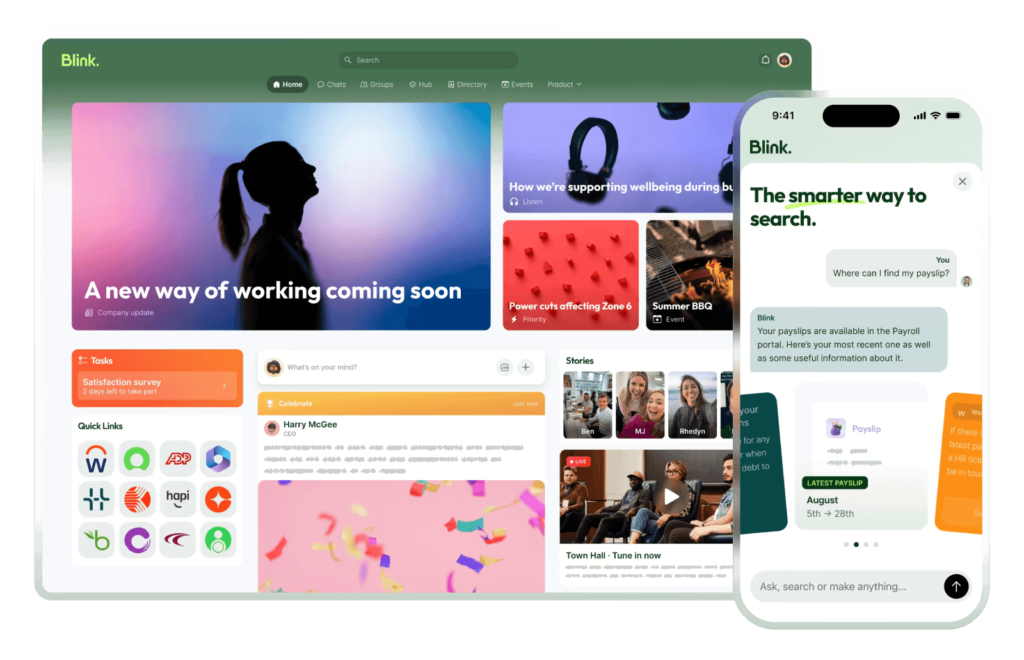
To organize your content production process, consider using a modern intranet to keep briefs, brand files, and publishing checklists in one place.
Some more ways to encourage a higher content ROI include:
- Creating link-worthy assets (like original research reports) to encourage backlinks
- Adding internal links strategically throughout your entire website
- Weaving in more relevant calls to action (more on this below)
- Updating your high-performing evergreen content
- Including proper schema markup
- Having a clean URL hierarchy
Use Google Analytics to learn where visitors come from, what pages they view, how long they stay, and what actions they take. If you need help with this, lean on an SEO strategist or agency for support.
Include relevant calls to action to encourage more conversions
Add relevant calls to action (CTAs) across your website to convert traffic into leads or paying customers.
Tie each CTA to the page’s purpose and the user’s intent.
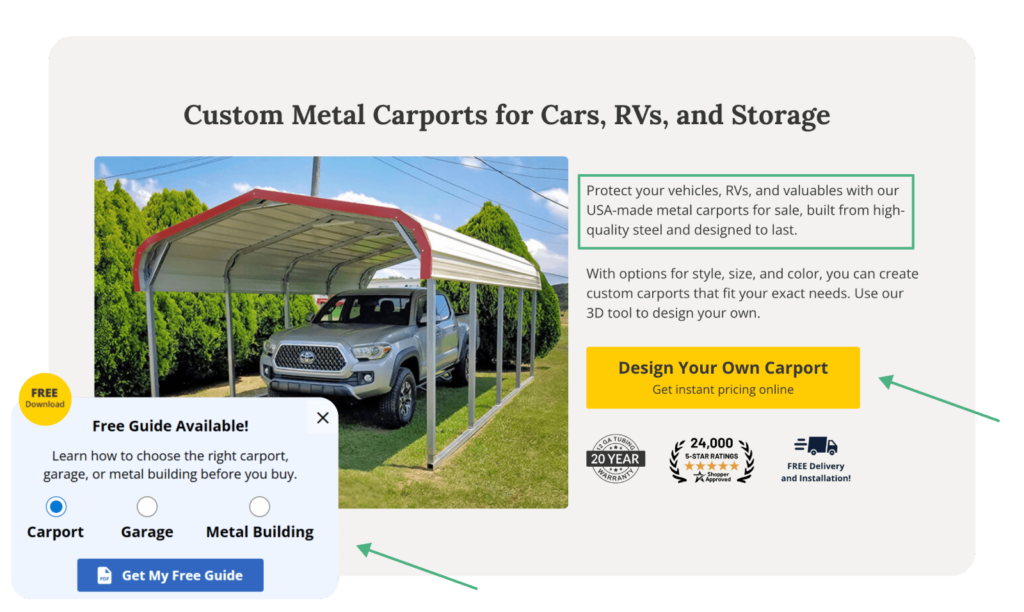
Here are a few ways to do that:
- Build a lead-nurturing email list with CTAs that invite leads to sign up for gated freebies. (Think templates, guides, quizzes, calculators, time-sensitive coupons, or checklists).
- Place intent-based CTAs next to pain-point language. For example: “Not sure which workouts fit your body type? Book a personal training session for custom support.”
- Invite visitors to join upcoming webinars to learn a skill or solve a problem.
- Use limited-time discounts to encourage hesitant users to buy now.
- Add contests or gamified elements to make it fun to buy.
A/B test and track your CTAs to see which button colors, sales copy, and specific lead magnets convert best.

From optimization to real ROI
Your WordPress website can be a gold mine if you:
- Reduce user friction and optimize site performance.
- Streamline your tech stack and think long-term.
- Strengthen your content strategy.
- Give visitors more reasons to convert.
If you haven’t already, bookmark this article now so you can refer back to it later.
Most importantly: Don’t let this guide be reading material. Put these insights into action. Add these to-dos to your calendar and start improving your site.
Track your changes over time to see which updates drive more conversions. Then double-up on those tactics.
PS: Looking for the most affordable and fastest managed WordPress Hosting around? You found it! And you’re going to love it. Try EasyWP for FREE now.
FAQs about WordPress performance optimization
You can speed up your site by shrinking images, using a caching plugin, picking fast hosting like EasyWP , trimming unnecessary plugins, and adding a Content Delivery Network (CDN).
We didn’t touch on CDNs in this guide, but a CDN (Content Delivery Network) is a network of servers placed around the world that store copies of your site’s static files, like images, CSS, and JavaScript.
When someone visits your site, the CDN delivers those files from the server closest to them. That shortens the physical distance the data has to travel, which speeds up load time and reduces strain on your main hosting server.
The number of plugins matters less than how well they’re built. Use high-quality WordPress plugins and avoid duplicates, large media files, or bad code.
Some popular cache choices include WP Rocket, W3 Total Cache, and LiteSpeed Cache. Pick the one that fits your hosting setup and site needs.
Good hosting gives you faster servers, better uptime, and an optimized environment, which all help your site load faster and run more reliably. That’s why EasyWP hosting for WordPress is the way to go.
Yes, a CDN makes your site faster by serving your content from servers closer to your visitors.
Make sure to also ask your developer to check your CSS files for coding errors and eliminate render-blocking resources. You can also use WP Rocket, a WordPress plugin, to speed up your site.
Lazy loading only loads images and videos when someone scrolls to them, which makes the first part of your page load much faster. This can help reduce bounce rates since your website will load quickly. (Even large media files and images will load quicker.)
Yes, remove WordPress plugins you don’t use to reduce server resources load. Even inactive ones can affect your page speed and open security gaps. Pro-Tip: Make sure to use object caching if you’re looking to scale your WordPress site and use the most updated php version.
Run your site through tools like Google’s PageSpeed Insights to see your website’s response time, what’s slowing it down, and how to fix it.
Author Bio:

Kelly Moster
Kelly Moser is the co-founder and editor at Home & Jet, a digital magazine for the modern era. She’s also the content manager at Login Lockdown, covering the latest trends in tech, business and security. Kelly is an expert in freelance writing and content marketing for SaaS, Fintech, and ecommerce startups.


More articles from us!
Cloud security best practices: a complete guide

Preparing your e-commerce WordPress site for Black Friday
