The best WordPress plugins for bloggers: effective tools for profitable posts


Experienced bloggers know the right tools can make or break their workflow. As generative AI answer boxes keep visitors on the results page, it’s more crucial than ever to create content that draws people all the way to your website. So we wanted to take a look at the best WordPress plugins for bloggers that will keep any content creator’s dreams alive.
Why plugins are a blogger’s best friend
Whether growing a blog hobby into a revenue-generating business or centralizing your social content, the right WordPress plugins can help you write, design, market, and secure your posts efficiently. Plugins do more than add features. They help bloggers scale, saving time, strengthening site functionality, and improving reader experience.
The challenge is knowing which ones actually deliver value without dragging down your site speed or overwhelming your dashboard. There are thousands of useful WordPress plugins, but not all of them are needed for every website. However, in the world of blogging, many writers share similar needs, which is why we wanted to create this roundup.
Is WordPress still the best for blogs?
We’re partial, of course, but absolutely, yes. While there are numerous publishing platforms, WordPress remains the best combination of control, customization, and community. With plugins, you can evolve your site from a simple journal into a sophisticated content machine.
While other site builder platforms like Wix, Squarespace, and even Shopify give you access to blog modules, none have the power to do what a WordPress blog can do. Sure, you can get your content online quickly, but WordPress is the only platform that offers the same scale of customization without paying for a custom site.
Best WordPress plugins for bloggers
Here are the top-rated tools from the WordPress repository that every serious blogger should know about. These plugins have brought success to thousands, and in some cases, even millions of bloggers. Take a look at what they have to offer, and if the vibe is right, give them a try.
1. The Post Grid
The Post Grid allows bloggers, artists, and content-heavy sites to display posts in dynamic grid, slider, and masonry layouts. It supports Gutenberg, Elementor, and Classic Editor, with filtering and responsive templates for blog posts and even other types of WordPress content.
Unique feature
Its filterable post grid lets users sort content fast based on categories or tags, and the smooth animations are a cool design element.
Helpful tip
Reviewers recommend using the “AJAX filtering” option to enhance speed and usability when displaying large numbers of posts.
2. CookieYes
CookieYes is essential for bloggers, agencies, and e-commerce sites that must ensure verifiable GDPR compliance and strong privacy policies. It automates cookie consent banners and tracks visitor consent logs. One of the most frequently asked questions we receive is about how to add cookie popups to your WordPress site, and this plugin is the answer.
Unique feature
Customizable banner designs that match your site style while complying with global privacy laws.
Helpful hint
Real users recommend enabling “auto-block scripts” to prevent third-party services from loading before consent is given, and avoiding potential tracking violations.
3. Easy Footnotes
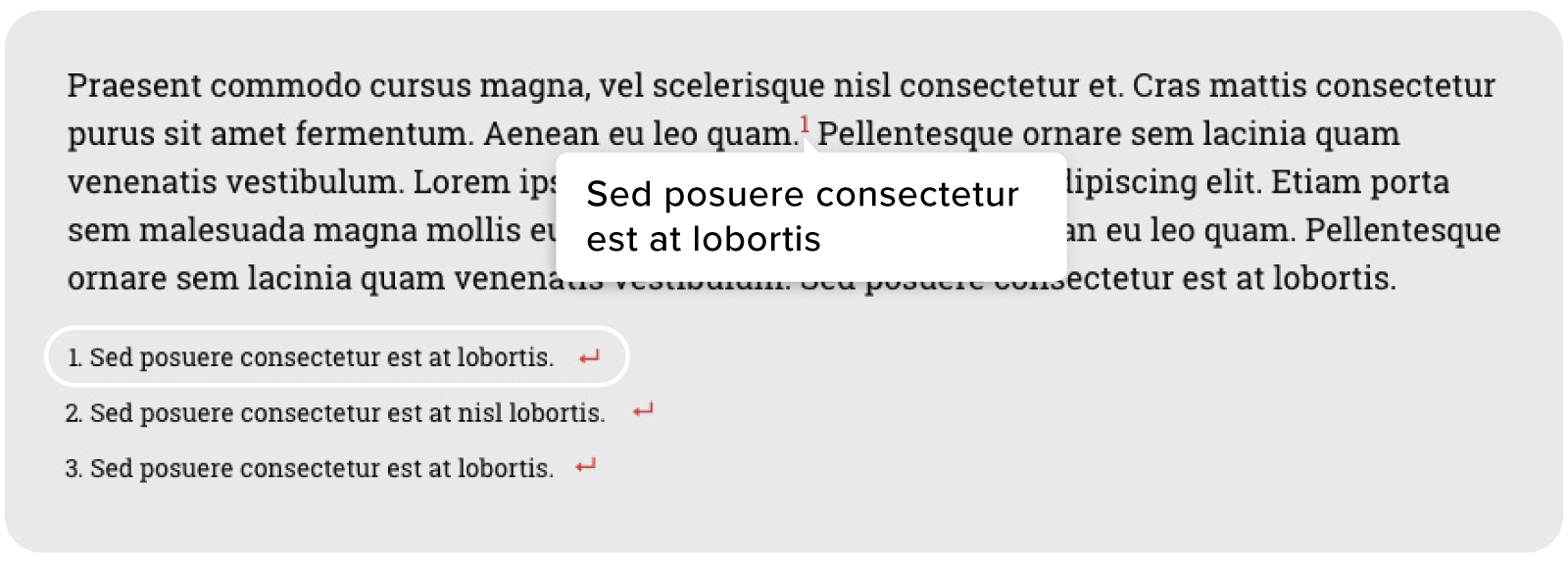
This plugin simplifies adding footnotes with shortcodes, ideal for research blogs, journalists, educators, and long-form writers. Easy Footnotes automatically numbers footnotes and lists them at the post’s end, using familiar icons for quick hover previews.
Unique feature
The hover pop-up feature enables readers to view reference details without needing to scroll, a feature that mobile users especially appreciate.
Helpful hint
Users note that switching to the classic text editor often gives better shortcode control than the Gutenberg block for styling consistency.
4. Print My Blog
In addition to user printing, Print My Blog lets authors, educators, and digital archivists export content as PDF, HTML, or eBooks. It includes print buttons for readers and smart formatting that removes unnecessary page elements. This might be useful for recipe blogs and educational sites, for example.
Unique feature
The “Quick Print” function can print thousands of posts in a single click, ideal for bulk publishing or archiving.
Helpful hint
Several reviewers on WordPress.org suggest using category filters before printing to exclude drafts or non-essential posts from bulk exports.
5. Blog Designer Pack
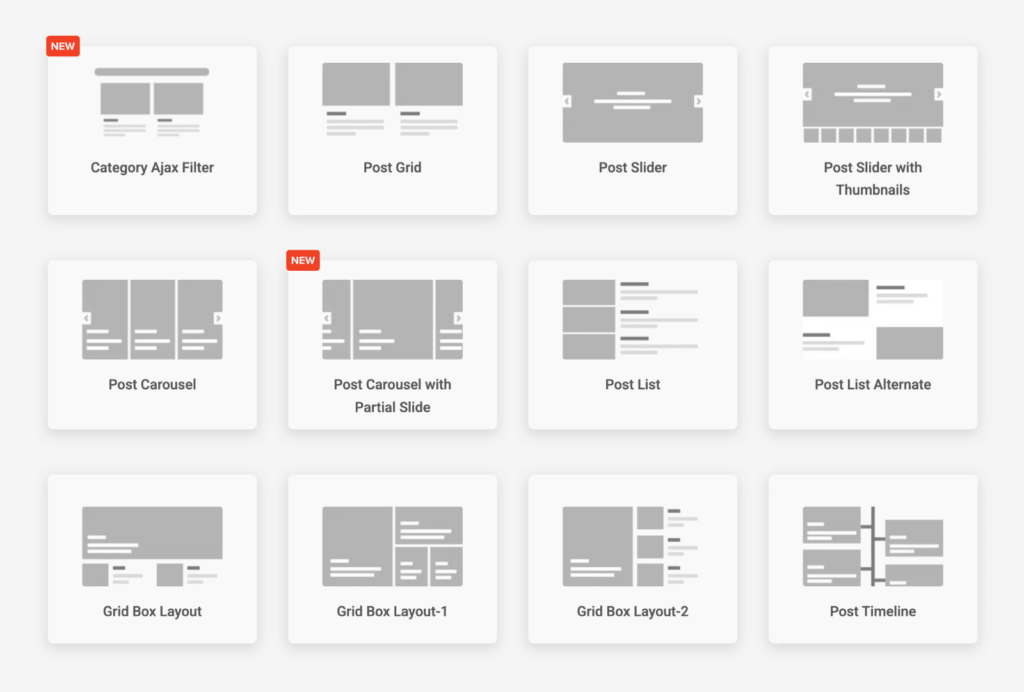
Blog Designer Pack is designed for news sites, travel blogs, or online magazines wanting flexible post presentation options. It offers various layouts, including grids, sliders, masonry, carousels, and timelines, all of which are customizable with shortcodes.
Unique feature
Built-in post tickers and vertical scrolling widgets help dynamically showcase trending or recent posts.
Helpful hint
Reviewers highlight that limiting the number of displayed posts per shortcode can significantly improve page load speed, especially in the timeline view.
6. MailPoet

MailPoet is well-suited for bloggers and small businesses that want to use WordPress for posts for email marketing. It features a drag-and-drop email builder, automation workflows, and seamless WooCommerce integration.
Unique feature
It combines subscriber management and campaign analytics directly inside the WordPress dashboard, eliminating the need to log in elsewhere.
Helpful hint
Power users recommend periodically clearing inactive subscribers to improve deliverability scores and reduce sending costs.
7. Google Site Kit
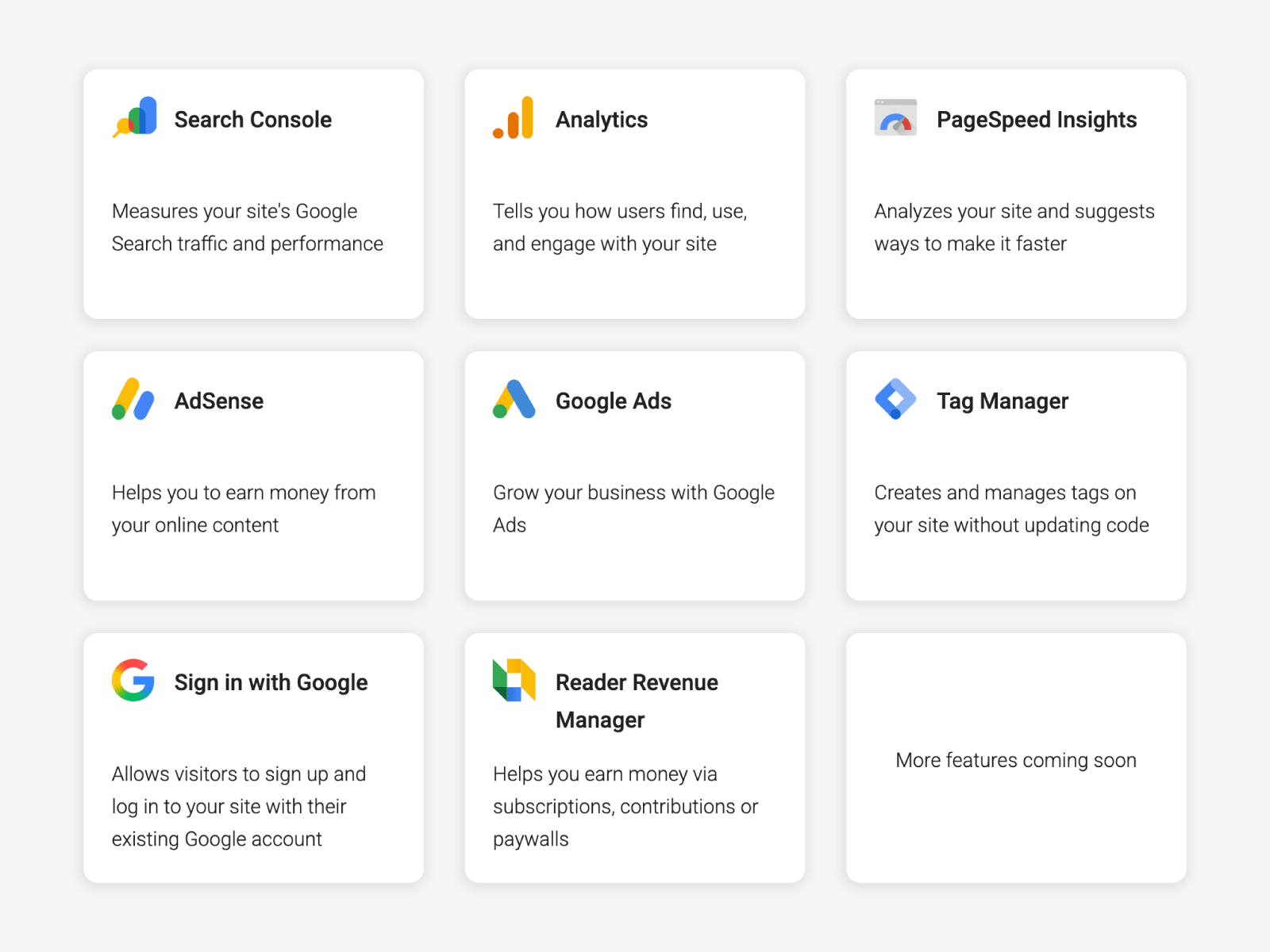
Google Site Kit integrates Google’s Analytics, Search Console, AdSense, Tag Manager, and PageSpeed Insights into WordPress dashboards, perfect for SEO-focused bloggers or content teams. Without a doubt, this is my favorite WordPress plugin.
Unique feature
Unified dashboard with authenticated data from all Google services with no manual coding needed. Nearly every Google integration available can be connected through the wizard. The Reader Revenue Manager is a relatively new integration, but it has great potential for bloggers who want to increase their earnings.
Helpful hint
Several reviews suggest connecting only the tools you actively use to avoid redundant data syncing and maintain dashboard speed.
8. Redirection
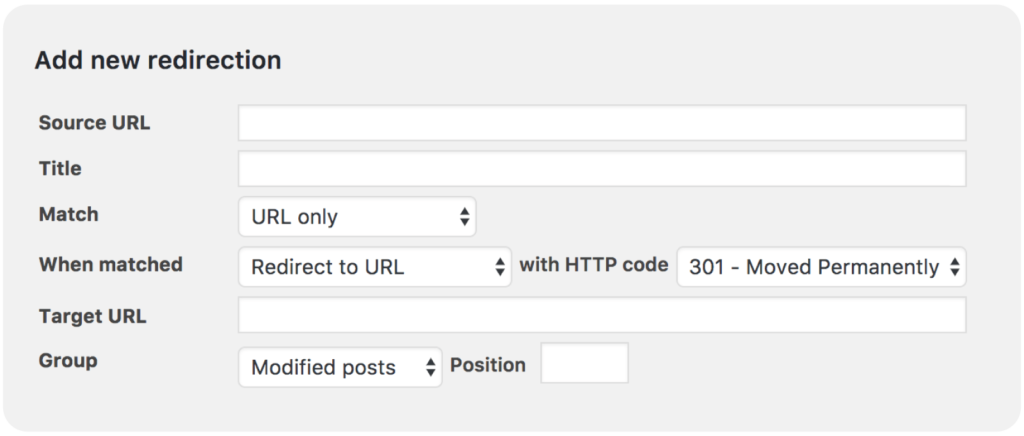
Don’t let the simple name fool you. Redirection is essential for site admins, SEO managers, and rebranding projects. It handles 301 redirects, monitors 404s, and supports conditional redirects based on user roles or browser types. With over 2 million active installations, it’s still going strong.
Unique feature
Real-time 404 error logging enables quick fixes to broken links without coding.
Helpful hint
Users advise exporting redirect data as a backup before site migrations to prevent URL conflicts.
9. Disable Comments
A simple plugin for business, portfolio, and education sites that don’t require comment sections. The Disable Comments plugin globally or selectively disables comment functionality, cleaning up admin menus and pages. Even if you currently have multiple pages with comments active, this plugin will help you disable them in a jiffy.
Unique features
Selective disabling allows comment moderation to change as your needs change. For example, comments can be allowed on blogs but not on landing pages.
Helpful hint
According to reviewers, deleting existing comments before activation helps avoid compatibility issues with some themes.
10. SEOWriting
SEOWriting, also known asSuper Page, is used by more than 40,000 content strategists, copywriters, and bloggers seeking on-page optimization help. It analyzes readability, tone, and keyword density in real time. While the conversation around SEO is rapidly evolving, these three factors remain among the most important for getting your blog discovered online.
Unique feature
Its AI-driven tone tool adjusts writing suggestions to fit target audiences or brand voice, without the need for extra prompts.
Helpful hint
Some people share that activating the focus keyword feature early in the draft helps align structure and keyword distribution better than adding it at the end of the draft phase.
| Plugin name | Core features & benefits | What users suggest | Free version available? |
|---|---|---|---|
| The Post Grid | Build flexible post grids, sliders, and masonry layouts. Speeds up navigation and custom layouts for content-heavy sites. | Use AJAX filtering for better speed with many posts | Yes |
| CookieYes | Automates cookie consent banners and GDPR compliance, visitor consent logs. | Enable auto-block scripts to ensure compliance | Yes |
| Easy Footnotes | Adds and manages footnotes with shortcodes; auto-numbers and lists at end. | Use classic editor for more styling control | Yes |
| Print My Blog | Print or export to PDF/HTML/eBook, removes page clutter, supports bulk actions | Filter by category to exclude drafts in bulk exports | Yes |
| Blog Designer Pack | Multiple layouts (grids, sliders, carousels, timelines), shortcode ready. | Limit posts per shortcode to boost page loads | Yes |
| MailPoet | Drag-and-drop email builder, automation, analytics, WooCommerce integration. | Clear inactive subscribers for better deliverability | Yes |
| Google Site Kit | Integrates Analytics, Search Console, AdSense, Tag Mgr, PageSpeed into WP. | Activate only needed modules for best dashboard speed | Yes |
| Redirection | 301 redirects, 404 monitoring, conditional redirects, error logs. | Export redirects before migration for backup | Yes |
| Disable Comments | Globally or selectively disables all comments, cleans admin. | Delete comments before activation for best compatibility | Yes |
| SEOWriting | Analyzes readability, tone, keyword density in real time | Set focus keyword early for smoother optimization | Yes |
Deciding which WordPress plugins are right for your blog

While these plugins are tried-and-true WordPress workhorses, finding what’s right for you requires a little time and testing. Don’t be afraid to install, try them out, and then remove as needed. In some ways, a blog is always a work in progress, and it’s okay to make changes and try something new. Head to the WordPress plugin directory to try these tools and watch your blog efficiency soar. For related insights, explore EasyWP’s other blogging resources, and get the answers you’ve been searching for.


More articles from us!
