How to use website performance metrics to improve customer acquisition


Your website can be your top customer acquisition channel if you know how to use performance metrics to your advantage. Every interaction can set your users up to become paying customers or complete a desired action. By understanding and applying website performance metrics, you can unlock powerful insights that drive growth and better serve your audience.
Here’s how to use these metrics strategically, with practical steps you can implement today.
What are website performance metrics?
Website performance metrics are measurements that show how fast and smoothly your site works for visitors. They reflect real user experiences and highlight which pages run well and which ones need improvement.
Why website performance metrics matter
Performance metrics reveal where visitors engage, hesitate, or drop off.
These insights can help you improve customer acquisition by …
- Helping you better support the user experience – Faster, smoother pages give customers a better experience, which can keep them on your site longer. The longer the stay, the more chances they have to poke around and (hopefully) take advantage of your offers.
- Spotting opportunities – Learn which pages and offers drive the most conversions. And where small tweaks can be helpful for sales or lead generation.
- Revealing customer behavior – Metrics like engagement, scroll depth, and session time highlight what users find most valuable on your website.
- Enhancing the mobile experience – Track how visitors interact across mobile devices to make informed adjustments for a seamless mobile experience.
- Catching technical issues – Track errors and slow pages that block conversions and decrease customer trust.

The key metrics that boost acquisition
Let’s take a look at which metrics directly influence conversions and customer engagement. (If you’re not sure how to work with these, or are pressed for time, ask your web developers and SEO team for support.)
Page load speed and Core Web Vitals
You need fast-loading pages to reduce bounce rates.
Google offers a lot of education on this topic if you’d like to dig deeper.
But here’s what to focus on in the meantime:
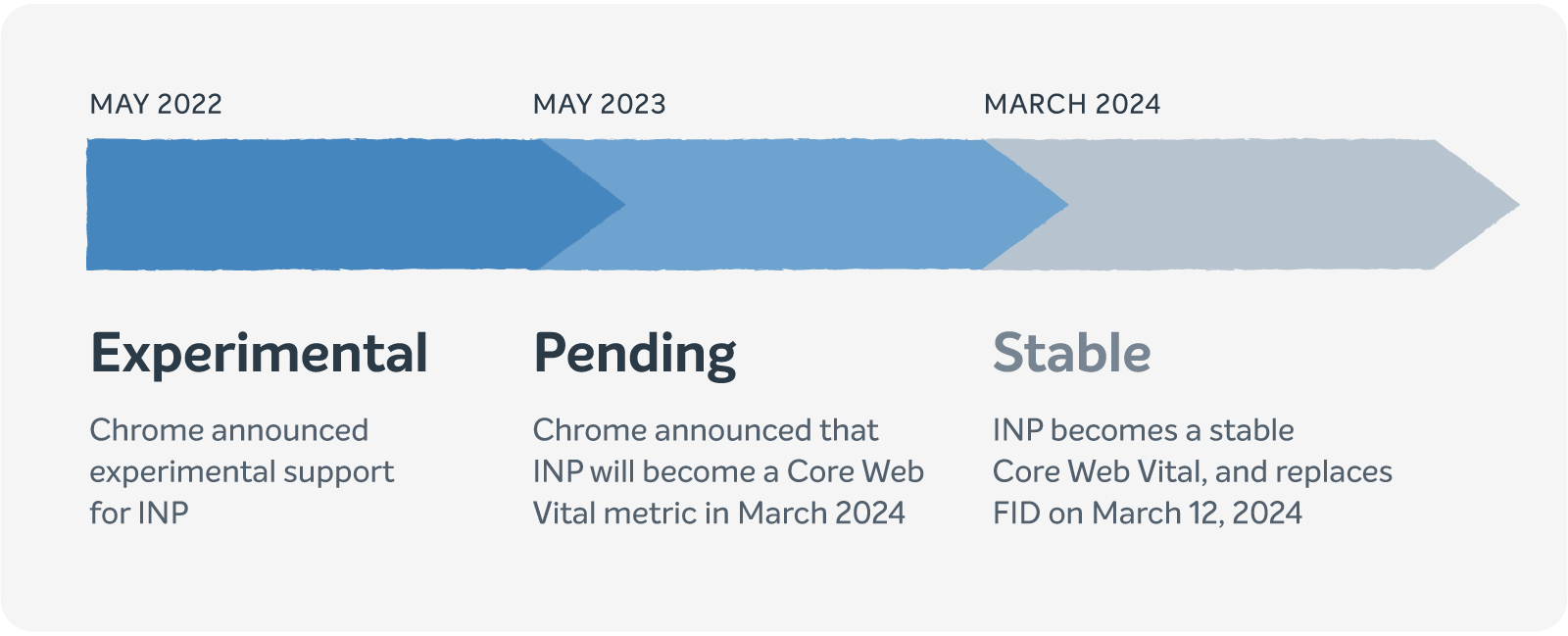
- INP (Interaction to Next Paint): Limit heavy JavaScript and reduce delays so your site responds quickly when users click or type. (Note: INP replaced FID as the Core Web Vital for interactivity in March 2024.)
- CLS (Cumulative Layout Shift): Set fixed sizes for images and elements so the webpage doesn’t jump around while loading.
- LCP (Largest Contentful Paint): Compress hero images and optimize above-the-fold content.
Conversion rates (macro and micro)
Track sales and micro-conversions. These include clicks to pricing, trial signups, and downloads. This shows you which pages and buttons are actively moving prospects through your sales funnel, so definitely pay attention to these.
Bounce rate and session duration
A moderate bounce and a long session duration mean users are engaging with your content.
This also highlights opportunities you can capitalize on to guide users toward action.
Form completion
Watch which form steps users finish — and make them clearer and faster if needed.
Traffic source performance
Identify which channels deliver high-quality visitors. Segment by PPC, SEO, or referrals to focus on sources that drive the most conversions.
Mobile vs. desktop engagement
Prioritize mobile-first design for a seamless experience, since significant traffic comes from mobile devices.

Practical strategies to improve acquisition
Here’s how to use performance metrics to grow your customer base:
1. Benchmark and improve page speed
Use tools like Google PageSpeed Insights to see how to improve your website load speed and performance.
Identify key pages (landing pages, pricing pages, and checkout) and implement optimizations. Be sure to also compress images, enable lazy loading, and use a Content Delivery Network (CDN). These can all help improve your site’s speed.
Note: A CDN speeds up your site by delivering content from servers closer to your visitors, which improves load times and reliability.
Faster pages can help increase engagement and conversion rates.
2. Map and optimize your conversion funnel
Track the journey from landing page → product page → signup → purchase.
Identify drop-offs and implement targeted enhancements.
(For example, adjust your CTA text, reposition buttons, and refine flows to boost conversions.)
You can also A/B test button colors, images, and messaging pillars to see which ones resonate most with your users and lead them to action.
3. Optimize forms for engagement
Simplify your forms by reducing the number of fields and enabling autofill or multiple-choice options.
Test progress indicators and multi-step forms, like helpful quizzes, to see if they increase completion rates.
Here’s a great example by Form Health:

Website visitors interested in a Zepbound weight loss prescription can take the quiz to see if they’re eligible:

After a few short questions, users learn if they’re eligible for the medication or if they don’t meet the criteria at this time.
Form Health includes clear instructions and easy-to-click multiple-choice buttons so the entire experience is user-friendly.
4. Tailor content and CTAs by traffic metrics
Check to see what’s bringing in organic traffic to your website — and tailor content and CTAs to capitalize on those results.
For example, StudioSuits’ men’s wedding suits webpage is currently bringing in 1,300 organic visitors valued at $3,100 for just that single page. 82% of those visitors are from the US, with keywords like “custom wedding suits,” “tailored wedding suits,” and “bespoke wedding suits” leading traffic.
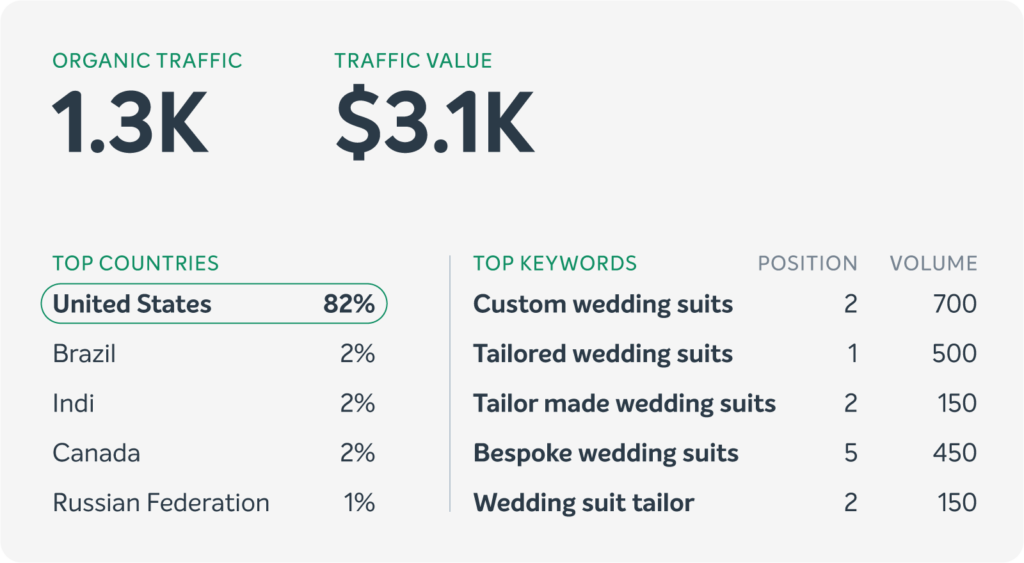
This gives the fashion brand a clear view of what visitors like. Their SEO and marketing team can then adjust content, highlight popular suits, and tweak CTAs to turn more traffic into sales.
Be sure to also check which paid traffic sources drive the most engaged visitors, so you can focus your budget on ads that convert the best.
5. Use heatmaps and session replays
Heatmaps and session replays show you valuable user patterns.
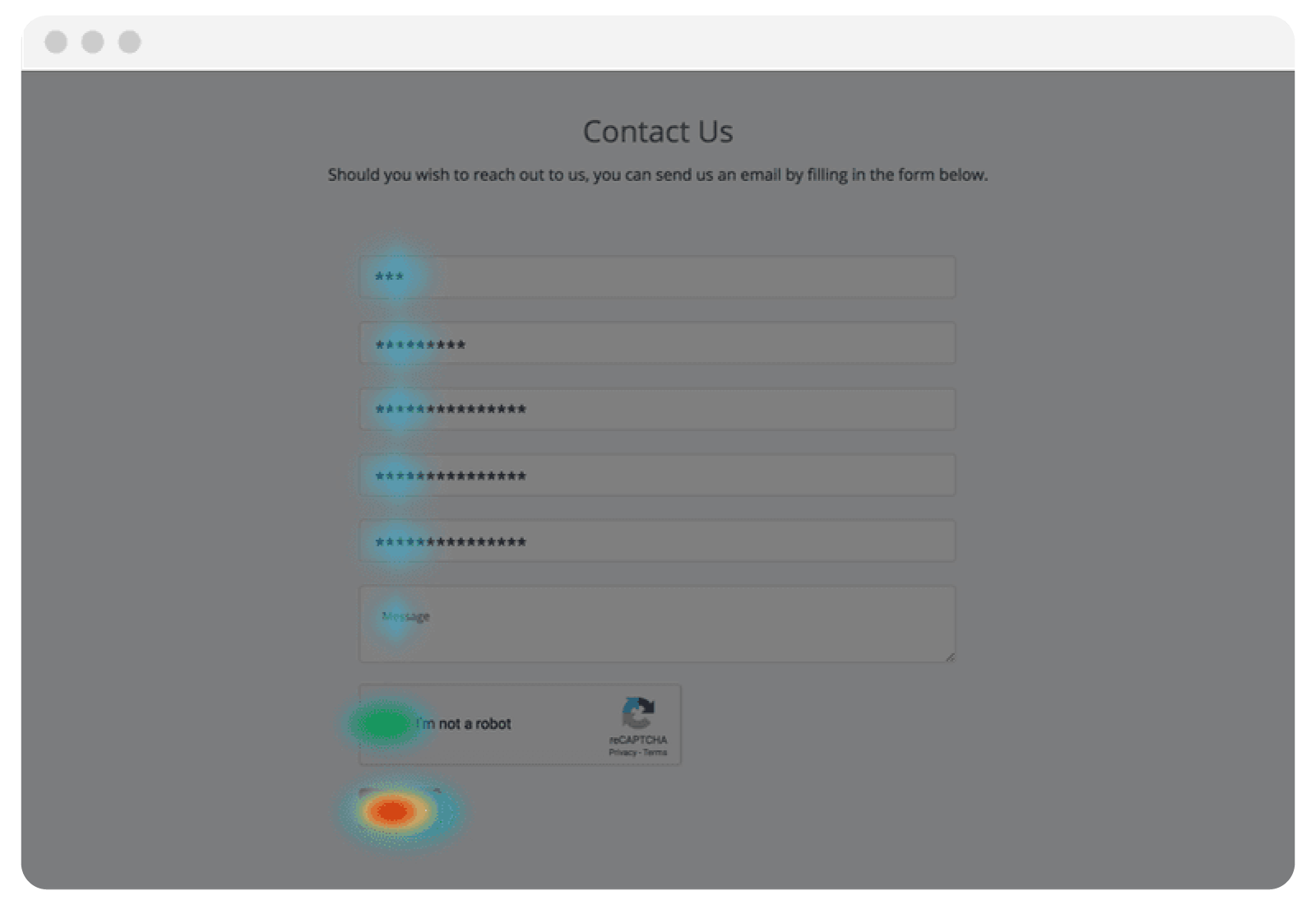
Tools like Hotjar can help reveal where users click, scroll, and pause. And session replays let you see the exact steps and actions users are taking on your site, as if you were in the driving seat. Use these insights to position your CTAs better and highlight key offers in the right places.
Here’s what a heat map looks like:
6. Test CTAs and page layouts continuously
Leverage scroll depth and click data to A/B test CTA placement and copy. Adjust button placement, emphasize benefits in wording, and refine visual elements to increase click-through rates and conversions.
7. Prioritize mobile optimization
Track your mobile conversion rates and use responsive design enhancements to make sure your website looks fantastic on mobile.
Use tap-friendly buttons and double-check that images and text are sized correctly. (Be sure to also test load times in various networks and on a variety of mobile devices.)
Designing for mobile-first also helps you focus your website on the most important information your users need to convert. You’re pressed for space, so every word and image matters.
Take a look at Henry Meds’ site on mobile, below. The telehealth brand clearly overviews how to get testosterone online, how its tailored plans work, its physicians’ names and photos, and a handy FAQ section.
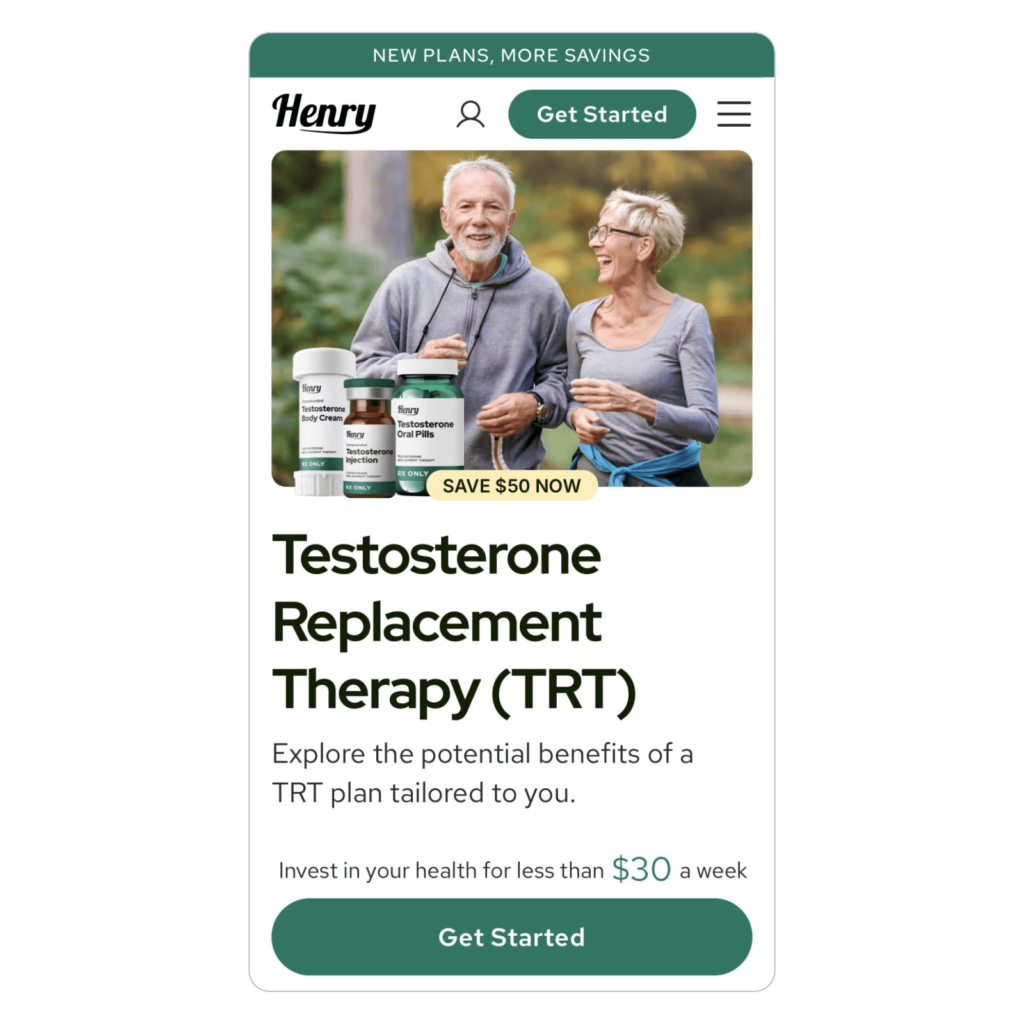
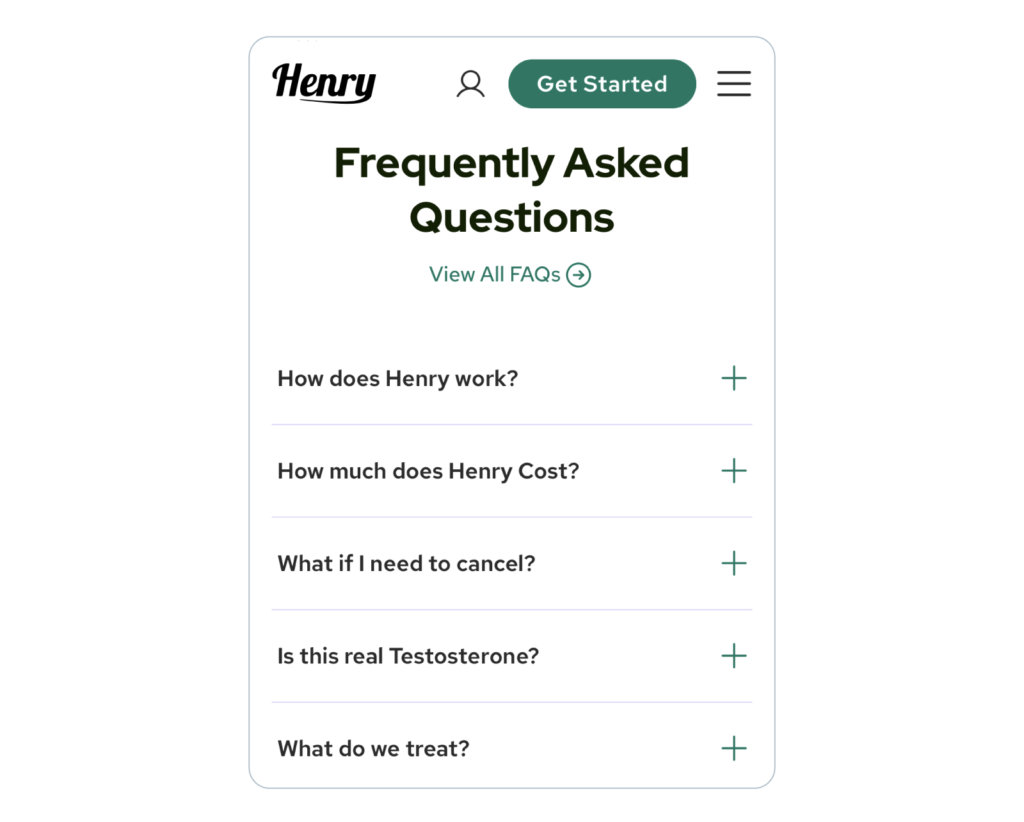
This is a great mobile website to mirror because everything fits properly and loads quickly.
The best part is its vertical layout and formatting, which naturally draws the eye down the page, making the user experience seamless.
8. Monitor performance, interactions, and security
Track 404s (that’s when users click on pages that don’t exist), form submissions, and checkout flows.
Make prompt adjustments when you spot errors to improve website reliability and increase user confidence.
You can also use a CNAPP (Cloud-Native Application Protection Platform) to protect your cloud apps and keep your site running smoothly. Use it to track security issues and critical cyber attack paths.
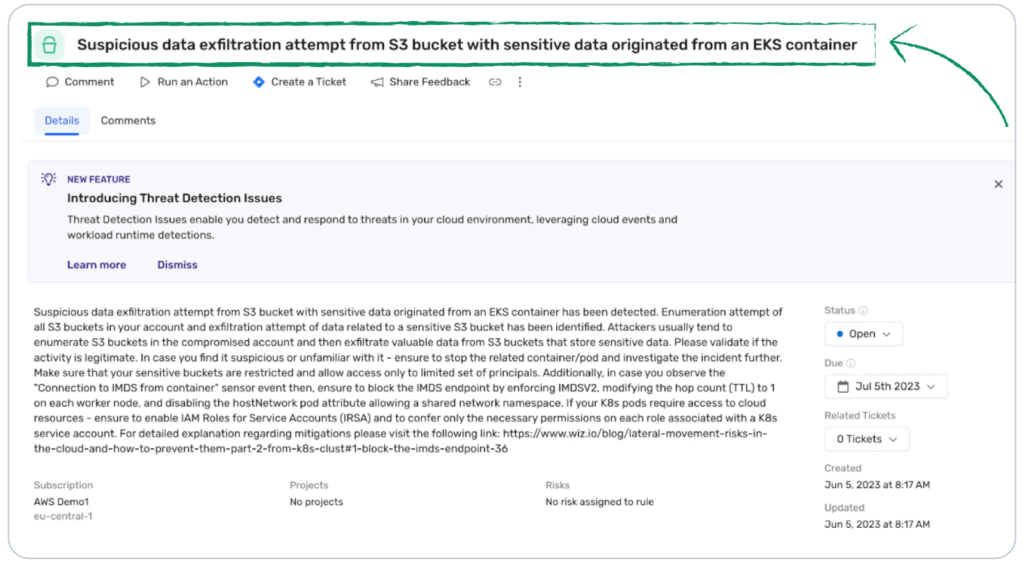
Fix anything that slows your site, or checkout flows — or, worse, puts them at risk.
9. Consolidate metrics into actionable dashboards
Build a dashboard linking traffic → engagement → micro → macro conversions → CAC.
Weekly reviews reveal which improvements impact customer acquisition and highlight the highest ROI opportunities.
10. Iterate consistently
Treat your website as a living customer acquisition funnel. Implement one enhancement each week, like optimizing a form, improving page speed, or refining a CTA.
Wrap Up
Website performance metrics reveal conversion opportunities and highlight errors you need to address to keep your site fast and the user experience seamless.
Make sure to: Prioritize speed, optimize forms, align CTAs and messaging, and iterate consistently. Implement changes on a weekly basis to transform your website into a continuous customer acquisition engine.
FAQs about website performance metrics
Core Web Vitals are metrics that measure loading speed, interactivity, and visual stability.
Use session duration, pages per session, and events such as clicks, form submissions, or video plays.
Extremely. Optimized mobile pages increase conversions because most users use mobile devices when exploring websites.

Author Bio: Kelly Moster
Kelly Moser is the co-founder and editor at Home & Jet, a digital magazine for the modern era. She’s also the content manager at Login Lockdown, covering the latest trends in tech, business, and security. Kelly is an expert in freelance writing and content marketing for SaaS, Fintech, and ecommerce startups.


More articles from us!